
🃏
Number Grid: How to Play & Get Faster
Number Grid (Schulte table): click the numbers in order, as fast as you can. This guide covers the three grid sizes, scoring, and real tips to get faster.
▶️ Play Now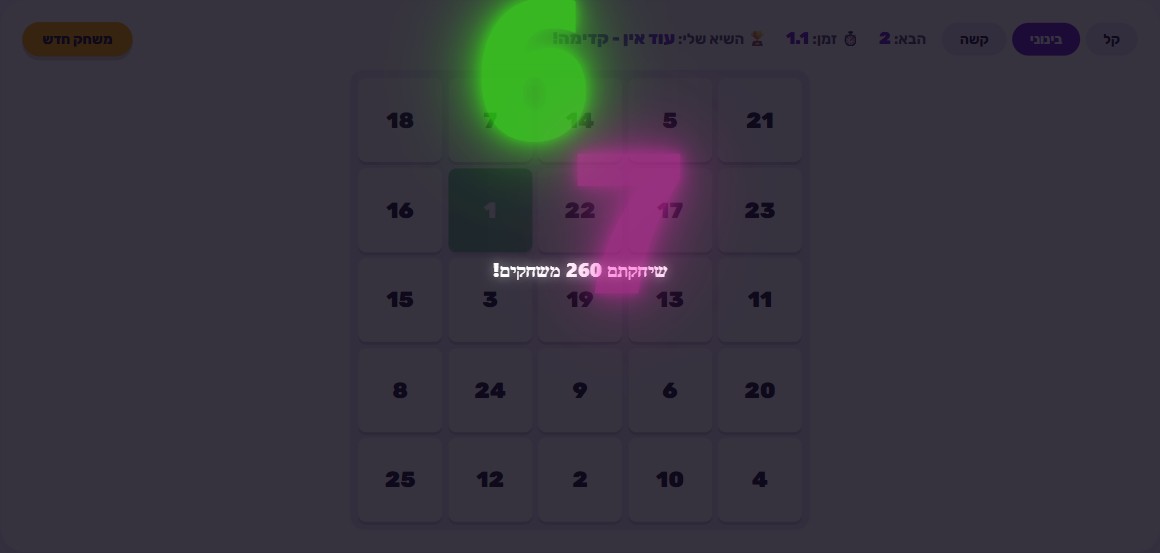
🎯 How to play
- Pick a difficulty: Easy (a 4x4 grid), Medium (a 5x5 grid), or Hard (a 6x6 grid).
- The grid shows every number scattered in completely random positions - not in order.
- Click number 1, then 2, then 3, and so on - always ascending, as fast as you can.
- If you click the wrong number, that tile just shakes for a moment. There's no penalty - keep trying right away.
- Once you click the last number on the grid, the clock stops and that's your official time for the round.
- Try to beat your own time on every round. Clear Hard mode in under 60 seconds to unlock the 'Number Grid Champion' avatar.
Where does “Schulte table” come from?
Number Grid isn’t a made-up gimmick - it’s a real, well-documented exercise named after its inventor, German psychiatrist Walter Schulte, who developed it in the mid-20th century. The idea is deceptively simple: a square grid of numbers scattered in completely random positions, no logical order at all, and you have to find and select them one after another - 1, 2, 3, and so on - as fast as possible, while keeping your gaze as close to the center of the grid as you can. Because the numbers aren’t arranged in any pattern, there’s no way to “guess” where the next one will be - you have to genuinely scan the whole board with your eyes, which is exactly what the exercise is designed to test and train.
The tool didn’t stay confined to academic papers. It’s been adopted across several very different fields, because it measures something basic and universal: how quickly and how efficiently you can scan a visual field. In cognitive psychology, Schulte tables are used to measure and train attention and visual processing speed. In sports coaching - especially in sports where players must react to things happening anywhere on the field or court (soccer, basketball, martial arts) - the exercise helps sharpen peripheral vision, the ability to pick things up at the edges of your visual field without turning your eyes directly toward them. And in speed-reading practice, Schulte tables train the eyes to scan quickly without fixating on every single detail. Our digital version takes this exact exercise and turns it into an interactive game with a stopwatch and a scoring system, so it’s genuinely fun to practice again and again.
Why practicing fast visual scanning is actually useful
The ability to scan a large area quickly and find exactly what you’re looking for isn’t a rare talent - it’s a skill you can improve with practice, just like a muscle. And it’s a skill that shows up in far more places than it might seem at first: finding one item on a crowded shelf, scanning a long form for a specific field, tracking a ball during a game, or simply reading a page and hunting for a single word within it. In every one of these cases, the difference between someone who scans efficiently and someone who scans randomly is real and noticeable.
Number Grid strips that skill down to its cleanest possible form: no context, no meaning, no hints - just numbers and positions. That’s exactly what makes it a good training tool: there’s no way to “cheat” it with prior knowledge or a clever guess. The only way to improve is to genuinely practice the scanning itself. And like any attention exercise, it also carries a sustained-focus component - even on the easier levels, holding full focus for tens of seconds straight is a real workout, especially for kids who are still learning to stick with one task to the end.
Which difficulty fits who
The game offers three difficulty levels, and the only thing that changes between them is the grid size - but that one change completely reshapes the experience. On Easy, the grid is 4x4, meaning just 16 numbers. This is a great starting point for a first try or for younger kids: the grid is small enough to scan comfortably, which builds confidence and teaches the basic idea before moving on.
On Medium, the grid grows to 5x5, meaning 25 numbers - a meaningful jump. There are almost 1.5 times as many numbers to scan, and it’s also easier to mistakenly think you remember where a number was, simply because the grid is bigger. This is the level that challenges players the most without being frustrating, and it’s the natural default for most players after a few rounds on Easy.
On Hard, the grid reaches 6x6, meaning 36 numbers - a serious challenge even for adults. At this size, random scanning simply doesn’t work anymore: anyone who tries to “search” for each number fresh, every single time, will lose precious seconds. Hard mode is also the only way to unlock the “Number Grid Champion” avatar, and that’s no accident - it’s the level that genuinely demands real scanning technique, not just a lucky streak of focus.
How scoring works
Unlike games where you lose lives or fail outright, Number Grid is measured purely by time and the score derived from it. Your score depends on two things: the grid size you chose, and how fast you finished. A bigger grid gives a higher starting score, which creates a real incentive to try harder difficulties instead of always sticking to Easy. On the other side, every second you shave off your finishing time adds more points, so there’s always room to improve even at the same difficulty. There’s also a minimum score floor, guaranteeing that even a relatively slow round still earns some points - so no round ever feels like a total waste.
That combination creates something easy to explain to kids but genuinely rewarding for anyone chasing a better personal best: to reach the top scores, it’s not enough to pick the small grid and finish it quickly - you also have to be brave enough to move up to a bigger grid, and be fast on that one too. And since there’s no penalty for a mistake, there’s no reason to play cautiously - every attempt is a pure opportunity to improve.
Common mistakes worth avoiding
The most common mistake new players make is trying to “read” the grid like a page of text - top-left to bottom-right, row by row, in a fixed order. That strategy works fine for normal reading, but in Number Grid it’s slow, because the next number is almost never where you’d expect to find it in that order. A second common mistake is jerking your eyes in big, fast movements from corner to corner - that’s exhausting and actually slows you down, because every big jump in your gaze means you “miss” part of the grid along the way.
A third mistake, somewhat paradoxically, is over-caution: since there’s no penalty at all for clicking the wrong number, there’s no reason to slow down to “double-check” before clicking. The players who improve the fastest are usually the ones who let themselves make mistakes without hesitation - because the cost of a mistake is nearly zero, while the cost of hesitation adds up on every single number in the grid.
Real tips to get faster
- Don’t move your eyes randomly between numbers. Instead, try to keep your gaze closer to the center of the grid, and use your peripheral vision - the edges of your visual field - to spot where the next number is before your eyes even move directly toward it. This is exactly the technique the original exercise is built around.
- Practice the same grid size several times in a row. A new grid is always randomized, but your ability to scan a grid of a given size improves with repetition - your brain learns the “rhythm” of that specific grid size, even though the actual positions change every time.
- Start on Easy even if you feel confident. A few rounds on Easy teach you the mechanics of the game without pressure, and only then is it worth moving up to the bigger grids, where the gap between good and poor technique really shows.
- Don’t be afraid to make mistakes. Since clicking the wrong number just makes the tile shake with no penalty at all, it’s better to play fast and take the occasional miss than to slow down an entire round out of fear of a single mistake.
- Play several rounds back to back in one sitting. Just like with any attention exercise, progress shows up more clearly across a few consecutive attempts than in a single try - comparing your time round to round is the best way to see that you’re genuinely improving.
The “Number Grid Champion” avatar
If you want a clear goal to chase, here it is: clear Hard mode - the 6x6 grid with 36 numbers - in under 60 seconds. That unlocks the “Number Grid Champion” avatar, which reflects genuine mastery of scanning technique rather than just a good moment of focus. This achievement rarely comes on the first try, but that’s exactly what makes it worthwhile: the only way to reach it is real practice of the techniques described above, not luck.
Similar games on the site worth trying
If you enjoyed the challenge of fast scanning and instant reaction, check out the Reaction Time Test, which measures exactly how fast you respond to a visual cue - a skill closely related to what Number Grid trains. If you like combining speed with accuracy, Typing Race carries the same “fast and correct” principle over to the keyboard. And if you want to pair speed with number sense, Math Race is a natural pick - there you solve equations against the clock instead of hunting for numbers.
🧠 Test Yourself
Answer all three questions correctly to earn 100 stars!
Frequently Asked Questions
What is a 'Schulte table', exactly?
It's an attention exercise developed by German psychiatrist Walter Schulte: a grid of randomly scattered numbers that you have to find in ascending order as fast as possible. It's used today in cognitive psychology, in athlete training for peripheral vision and reaction speed, and in speed-reading practice.
What's the difference between the three difficulty levels?
Easy is a 4x4 grid with 16 numbers, Medium is a 5x5 grid with 25 numbers, and Hard is a 6x6 grid with 36 numbers. A bigger grid means more numbers to scan and it's harder to keep track of where each one is.
What happens if I click the wrong number?
Nothing serious - the tile just shakes for a second to show it was wrong, and you keep trying immediately. There's no point penalty and the game never ends, so you can focus purely on speed without fear of mistakes.
How is the score for a round calculated?
Your score depends on both the grid size you picked and how fast you finished. A bigger grid gives a higher starting score, and every second you shave off adds more points. There's also a minimum score floor, so even a slow round still earns something.
What do I need to do to unlock the 'Number Grid Champion' avatar?
You need to clear Hard mode - the 6x6 grid with 36 numbers - in under 60 seconds. That takes real scanning technique, not just luck.