
🃏
What Is Spot the Difference? Rules and Tips
Spot the Difference means finding the changes between two almost identical scenes before time runs out. Here: difference types, difficulty, and tips.
▶️ Play Now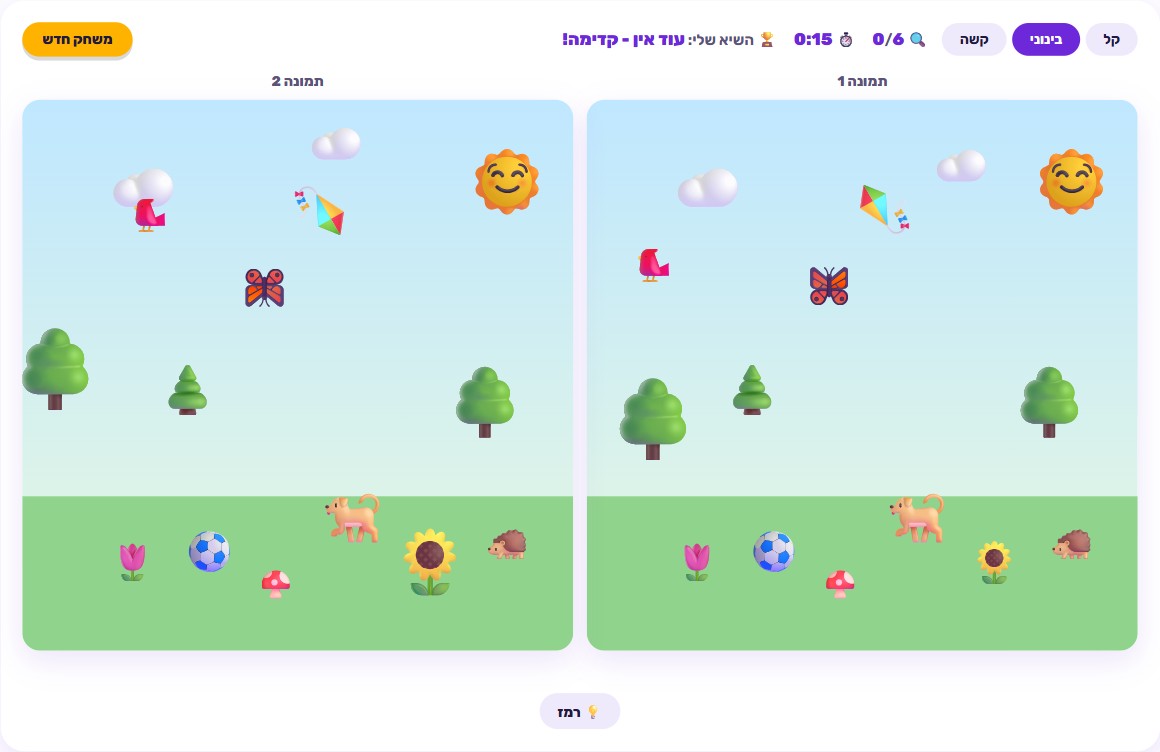
🎯 How to play
- Look at the two scenes shown side by side on screen.
- Compare them detail by detail, looking for an object that's removed, bigger, smaller, flipped, moved, or swapped for a similar one.
- Tap the exact spot where you spot a difference, in either of the two scenes.
- Stuck? Use the hint button - but it's limited to a set number of uses per round.
- Find every difference on your chosen difficulty before the timer runs out.
- Clear a full round on Hard difficulty to unlock the Spot the Difference Champion avatar.
Where “spot the difference” comes from
Two scenes that look identical at first glance, and one simple task: figure out exactly what’s different between them. It’s one of the oldest and simplest puzzle formats around, a fixture of newspapers and kids’ magazines for generations - a regular back-page feature in children’s magazines, and just as common in weekend papers for adults. The format barely changes: two near-identical pictures, a handful of hidden changes, and a pencil ready to circle every one you find. That simplicity is exactly why the format never gets old - no complicated rules to learn, no prior knowledge required, and it works just as well solo or with someone else looking at the same page.
The digital version on this site keeps that original idea intact - two scenes side by side, differences hidden inside them - but adds a timer, scoring, and a hint system that a printed puzzle book never had. No pencil, no page to flip, and no need for anyone to check whether you actually found them all - the game checks that itself, instantly.
Why it’s more than “just a game” - what it actually trains
Spot-the-difference puzzles exercise a real, well-established skill: careful visual comparison. To notice that one object is slightly smaller than its twin, or that it shifted a few pixels to the side, your brain has to scan both scenes at once and catch a subtle mismatch - not just glance at the picture, but actually compare detail against detail. That’s the same skill you use when proofreading a form for a typo, checking whether two products on a shelf are really identical, or sensing that something in a room “looks off” before you can say exactly why.
Beyond comparison itself, the game also trains sustained attention to detail. On the higher difficulty levels, a full round can take a minute or two of continuous scanning, and the whole time you need to keep track of which areas you’ve already checked. That’s a genuinely useful exercise for anyone - kids especially - who tends to glance at a picture and decide too quickly that “everything looks the same.” The game rewards the opposite habit: slow, methodical looking.
Worth being precise here: this isn’t a claim about general brain training or cognitive boosting - it’s focused practice of one specific, useful skill, the same way a sliding puzzle trains spatial reasoning. Spot the Difference is a solid way to practice attention to detail, nothing more and nothing less.
The interesting technical detail: scenes generated fresh every time
One meaningful difference between this version and a typical printed spot-the-difference book: the scenes here aren’t fixed photographs. They’re built from emoji graphics composited together procedurally - meaning every time you start a new round, the game builds a fresh layout of objects rather than pulling a static image from a closed library.
The practical effect: there’s nothing to “memorize” from a previous round. In a printed puzzle book, once you’ve solved a page, solving it again is pointless - you already know the answers. Here, every round is a new scene, so there’s genuinely more variety than a fixed set of pages could offer, and that stays true even after dozens of rounds.
Which difficulty fits who
Easy - 4 differences, 3 types. The natural starting point for younger kids or anyone playing for the first time. A small number of possible differences and a narrower set of change types keep the scan manageable, and it builds confidence quickly before moving on.
Medium - 6 differences, 5 types. The most popular sweet spot. There are enough possible change types that you can’t easily guess what to look for, but a round still doesn’t drag on too long. This is where most players discover they need a real scanning strategy, not just luck.
Hard - 8 differences, 6 types. All six difference types show up at once here - removed, bigger, smaller, flipped, moved, and swapped - plus the largest number of differences to find. This is the level that demands genuine, systematic scanning, and it matches what people searching for “spot the difference very hard” are actually looking for. Clearing a full Hard round is also what unlocks the Spot the Difference Champion avatar.
Six types of differences worth knowing
Since the game is built from six fixed change types, knowing them ahead of time helps you scan smarter:
- Removed - an object present in one scene and simply missing from the other.
- Bigger - the same object, but larger in one of the two scenes.
- Smaller - the same idea in reverse, a smaller version of the object.
- Flipped - the same object shown mirrored, facing the opposite direction.
- Moved - the object stays the same size and look, but sits in a different spot.
- Swapped - an object replaced with a different one that looks similar at first glance, but isn’t quite the same.
On Hard difficulty, all six types can appear in the same round, so it pays to check every area from more than one angle - not just “did something disappear,” but also “is the size, direction, and position really identical.”
Real tips for finding differences faster
- Scan systematically, not randomly. Instead of jumping your eyes between areas, work through both scenes in a fixed order - left to right, top to bottom, for example. That guarantees you won’t skip a whole section, and it’s exactly the habit that separates a beginner from a sharp player.
- Pay special attention to color and size. Size changes (bigger or smaller) are among the most common types, and they’re easy to miss because the object’s general shape stays the same - only its dimensions change. Train your eye to check “is this the exact same size,” not just “is this the same object.”
- Use hints strategically. Hints are limited, so save them for the trickiest remaining difference rather than the first one that slows you down. If you’ve spent several full seconds on one area with no progress, that’s the moment to use a hint there - not at the very start of the round.
- Check the corners and edges, not just the center. There’s a natural pull toward the middle of the scene, where the most eye-catching objects usually sit, but differences love to hide near the edges.
- If you’re stuck on one area, move on and come back to it. Sometimes your eyes just get “stuck” on a spot and stop noticing something obvious there. A short break to scan elsewhere, then a fresh look back, often reveals it.
Similar games on the site worth trying
If you enjoyed the focused attention that Spot the Difference trains, check out Memory Game - flipping cards to find matching pairs, which uses a similar kind of visual comparison but adds memory into the mix. If you like spatial-reasoning challenges, Sliding Puzzle demands planning your moves rather than just scanning. And for a different kind of visual challenge built around navigation, Maze generates a fresh layout every round, just like this game does.
🧠 Test Yourself
Answer all three questions correctly to earn 100 stars!
Frequently Asked Questions
What types of differences appear in the game?
There are six possible types: an object removed entirely, an object grown bigger, an object shrunk smaller, an object flipped like a mirror image, an object moved to a different spot in the scene, and an object swapped for a different but similar-looking one. Every single difference falls into one of these types.
What's the difference between the three difficulty levels?
Easy has 4 differences to find, drawn from 3 possible types. Medium has 6 differences from 5 types. Hard has 8 differences drawn from all 6 types at once. Each level also gives you a limited number of hints to use when you're stuck.
Are the scenes in the game real photos?
No. The scenes are built from emoji graphics composited together fresh each time, so every round generates a slightly different layout instead of relying on a fixed set of images like a printed puzzle book.
Do I need to tap the exact pixel to mark a difference?
No. There's a small tolerance radius around the actual spot, so a tap that's close enough still counts as finding it.
How do I unlock the Spot the Difference Champion avatar?
Complete a full round on Hard difficulty - finding all 8 differences before time runs out - and you'll unlock the Spot the Difference Champion avatar.