
🃏
Tishrei Holidays Word Search Guide
A Jewish holiday word search with 4 themes and 3 difficulty levels - words hide in all 8 directions. How to play, real tips, and FAQs.
▶️ Play Now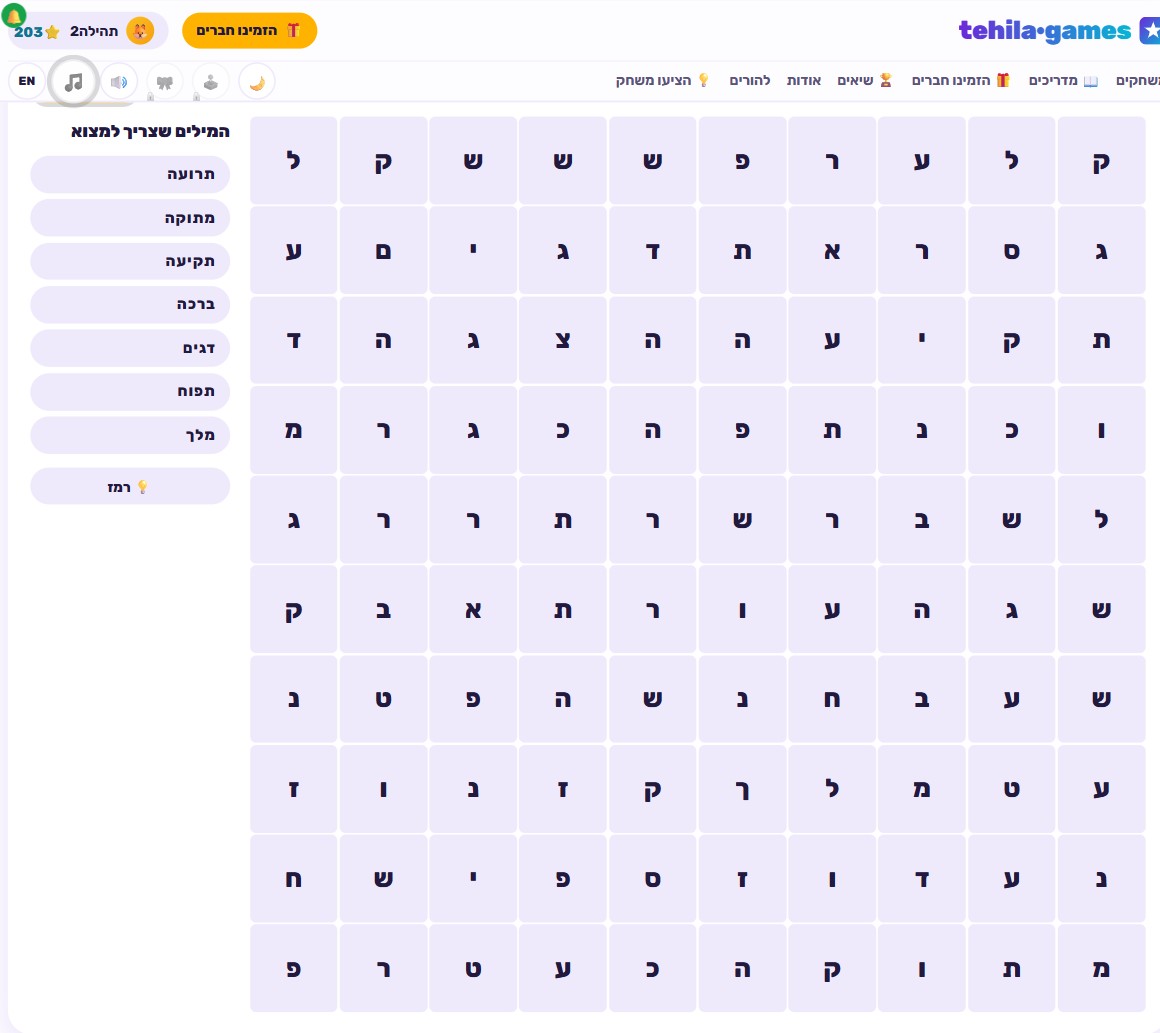
🎯 How to play
- Pick a Tishrei holiday theme to practice: Rosh Hashanah, Yom Kippur, Sukkot, or Simchat Torah.
- Choose a difficulty: Easy (8x8 grid, 5 words), Medium (10x10, 7 words), or Hard (12x12, 9 words).
- Scan the letter grid for a word from the theme's word list.
- Drag from the first letter to the last, or tap both end letters, to select the word.
- Words can run in any of 8 directions - horizontal, vertical, diagonal, forwards and backwards.
- Find every word on the list as fast as you can - scoring rewards both accuracy and speed.
What a word search actually is, and why it still works
A word search is one of the oldest and simplest word games there is: a grid of seemingly random letters hiding a set of real words you need to locate. There’s no complicated thinking required and no answer that’s “wrong” in any stressful sense - either you’ve found the word, or you keep scanning. That’s exactly why word searches are such an accessible learning activity: no prior knowledge is required, there’s no penalty for a wrong guess, and it suits almost any age and reading level. A child just starting to recognize whole words can enjoy it as much as an adult looking for a quick challenge. The game mainly builds two skills: word recognition (seeing a run of letters and identifying it as a whole word, not just individual letters) and visual scanning - the ability to sweep a large area of information and spot a specific pattern within it. Both skills reach well beyond the game itself: they’re the same skills that help with fluent reading, spotting information in a long piece of text, and even catching typos.
What sets a word search apart from a lot of other “practice” activities is the total absence of performance pressure. There’s no countdown clock forcing a rushed answer, no opponent shouting the answer before you, and no visible mistake for everyone to see - just you and the grid. That’s exactly why word searches work well even for kids who struggle with more conventional tasks: the structure is quiet, clear, and lets everyone move at their own pace.
Why a Tishrei holidays theme, and why now
Tishrei Holidays Word Search takes that familiar mechanic and wraps it around four themes: Rosh Hashanah, Yom Kippur, Sukkot, and Simchat Torah - the holidays that fall one after another at the start of the Hebrew calendar year. The theme isn’t incidental: the Tishrei season is exactly when kids absorb the most new holiday-specific vocabulary in a short stretch of time - shofar, tashlich, sukkah, the four species, hakafot, and dozens of other words tied to each holiday’s customs and symbols. A themed word search is a natural, low-pressure way to reinforce that vocabulary: instead of memorizing a dry list, a child “hunts” for each word letter by letter, which means looking at it closely, again and again, until it becomes instantly recognizable. That’s exactly the kind of repetition that helps new vocabulary stick - without it feeling like a lesson.
Since each of the four holidays has its own separate word list, you can match practice to whatever’s coming up on the calendar - Rosh Hashanah vocabulary right before the holiday, then switching to Sukkot words a few days later. It’s a pleasant way to fold the game into holiday preparation, rather than treating it as something disconnected from the season.
How to play, step by step
Before starting, pick which holiday to practice: Rosh Hashanah, Yom Kippur, Sukkot, or Simchat Torah - each theme comes with its own word list relevant only to that holiday. Next, choose a difficulty. Easy gives you an 8x8 grid with 5 words to find - a good starting point for first-timers or younger players. Medium steps up to a 10x10 grid with 7 words, while Hard offers a noticeably larger 12x12 grid with 9 words to locate. Every difficulty level also comes with a limited number of hints available - a helpful tool for the moments when one particular word just won’t show itself.
Once the theme and difficulty are set, the game displays a letter grid alongside the word list. You find a word in one of two ways: dragging from its first letter to its last, or tapping the two end letters separately (handier on small touch screens). Once the right letters are selected, the word gets marked as found and drops off the list. Scoring here is speed-based: each word found adds a fixed amount of points, plus a speed bonus on top if you clear the whole list quickly. Your personal best is the fastest time you’ve managed to finish a given theme and difficulty.
Why words can “hide” in any direction
Unlike an old-style paper word search where words sometimes only run horizontally, here words are hidden in all 8 possible directions: left to right, right to left, top to bottom, bottom to top, and all four diagonals. That’s what makes the game a genuine challenge rather than just a fast-reading drill - you can’t “scan one row” and expect to catch everything. It’s also worth remembering that a word can be written backwards (end to start), so a letter sequence that looks like the start of one word might actually be the tail end of a completely different word you’re hunting.
Real tips for finding words faster
- Scan the whole grid for the word’s first letter before trying to trace random letter sequences. Instead of chasing random-looking chains of letters, sweep the whole grid for every spot where the word’s first letter appears - from there it’s much easier to check whether a full word actually continues from it.
- Remember that words can run in any of 8 directions, including diagonally and backwards. A lot of players get stuck because they only check straight rows and columns. If a word isn’t showing up in the obvious directions, check both diagonals and the reversed direction next.
- Save your limited hints for the trickiest last word or two. Since each difficulty caps how many hints you get, don’t burn them on the easy early finds - keep them in reserve for the one or two words that are genuinely hiding well.
- Start with the shortest words on the list. A three- or four-letter word is easier to spot mid-scan because there’s simply less to recognize at a glance, even though it can hide just as easily inside a long random-looking sequence.
- If you’re chasing a faster time, play the same theme and difficulty a few rounds in a row. Once your eye gets used to the typical word lengths for a given theme, scanning becomes noticeably faster.
Similar games on the site worth trying
If you enjoyed the word-based challenge of the Tishrei holidays word search, check out Hangman - a classic letter-guessing game that exercises similar thinking about word structure, but in reverse: instead of locating a ready-made word, you build one letter by letter. If you like taking words apart and putting them back together, Word Scramble is a great match - you rearrange jumbled letters back into a whole word. And if you’d rather dig deeper into the holidays’ actual content, Mishnah Quiz - Rosh Hashanah offers a completely different way to practice the same season: questions and answers instead of hunting for letters.
🧠 Test Yourself
Answer all three questions correctly to earn 100 stars!
Frequently Asked Questions
What holiday themes are in the Tishrei word search?
Four themes: Rosh Hashanah, Yom Kippur, Sukkot, and Simchat Torah. Each theme has its own word list tied to that specific holiday.
Is this a printable holiday word search?
No - it's an interactive digital game that runs right in your browser, not a worksheet to print. You drag or tap letters on screen to select a word you found.
What's the difference between the difficulty levels?
Easy is an 8x8 grid with 5 words to find, Medium is 10x10 with 7 words, and Hard is 12x12 with 9 words. Each difficulty has a limited number of hints available.
How do you unlock the Word Search Champion avatar?
Complete a game on Hard difficulty. Any completion time counts - you don't need to be especially fast, just finish the Hard level.
Are the words always written in straight left-to-right rows?
No. Words can appear in any of 8 directions - horizontal, vertical, diagonal, and also backwards (end to start) - just like a classic paper word search.